3DP Slicer and Bead Layout Generator

We built a slicer that turns Revit and other 3D building models into printable G-code using RCT’s bead designs.

Overview

Challenge

Robotic Construction Technologies had the robot, but preparing incoming building models for printing took substantial manual work. Existing slicers could create layers, but could not generate the bead layouts RCT needed.

What We Built

We developed a complete slicer and bead layout generator that lets the team fine-tune print settings and geometry to achieve high-quality prints.
The Work

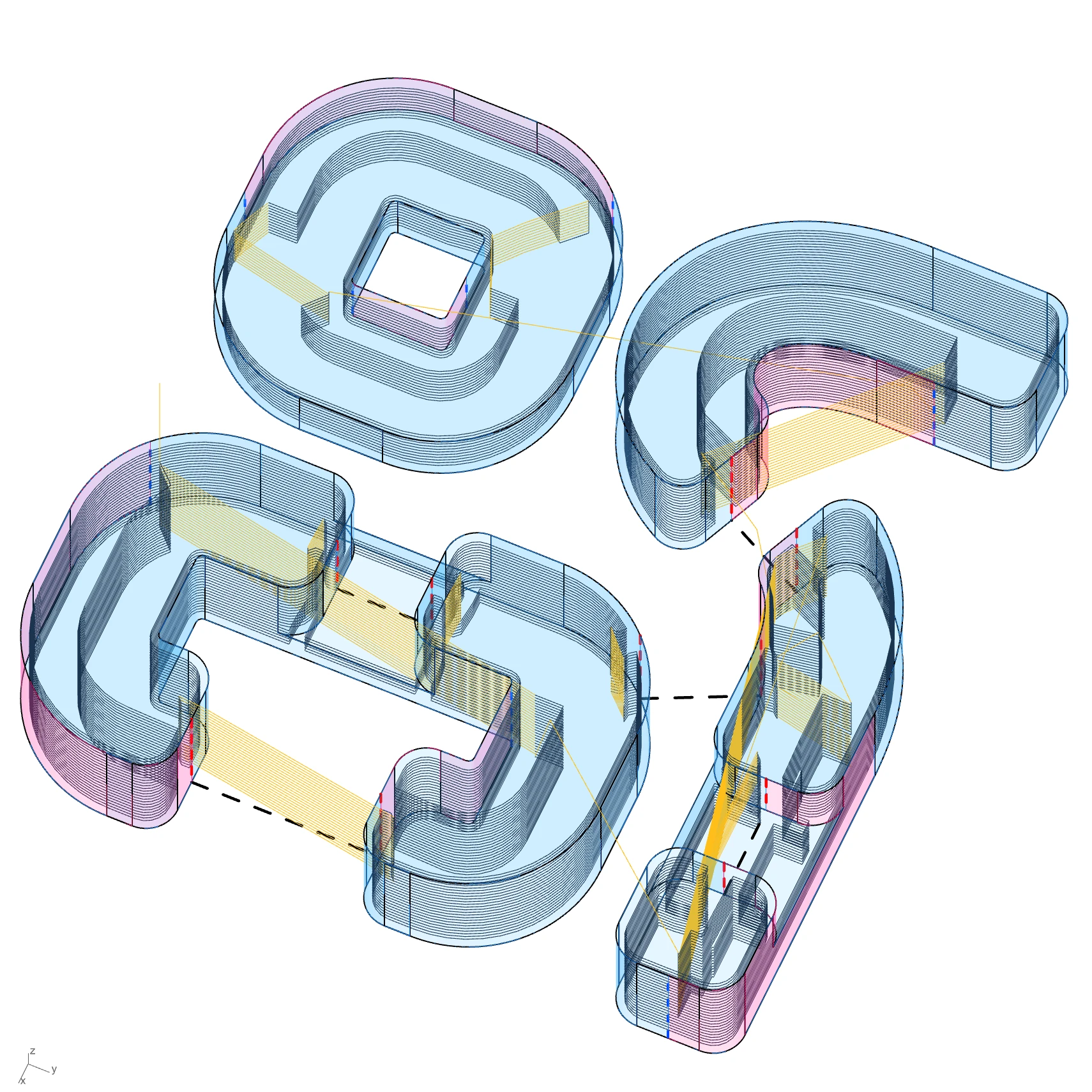
The software takes Revit and other 3D models through slicing, bead layout, and G-code generation. It supports RCT’s bead designs and transition patterns, with print paths that account for surface quality and minimise travel between printed sections.

The tool is developed in Rhino and Grasshopper, with modules written in Python and C#.

We built the tool end to end, with weekly feedback and alignment with RCT’s team. Development has continued since 2025 as their printing needs evolve.

Results

  • Used to prepare G-code for several building prints.
Robotic Construction Technologies

Gallery

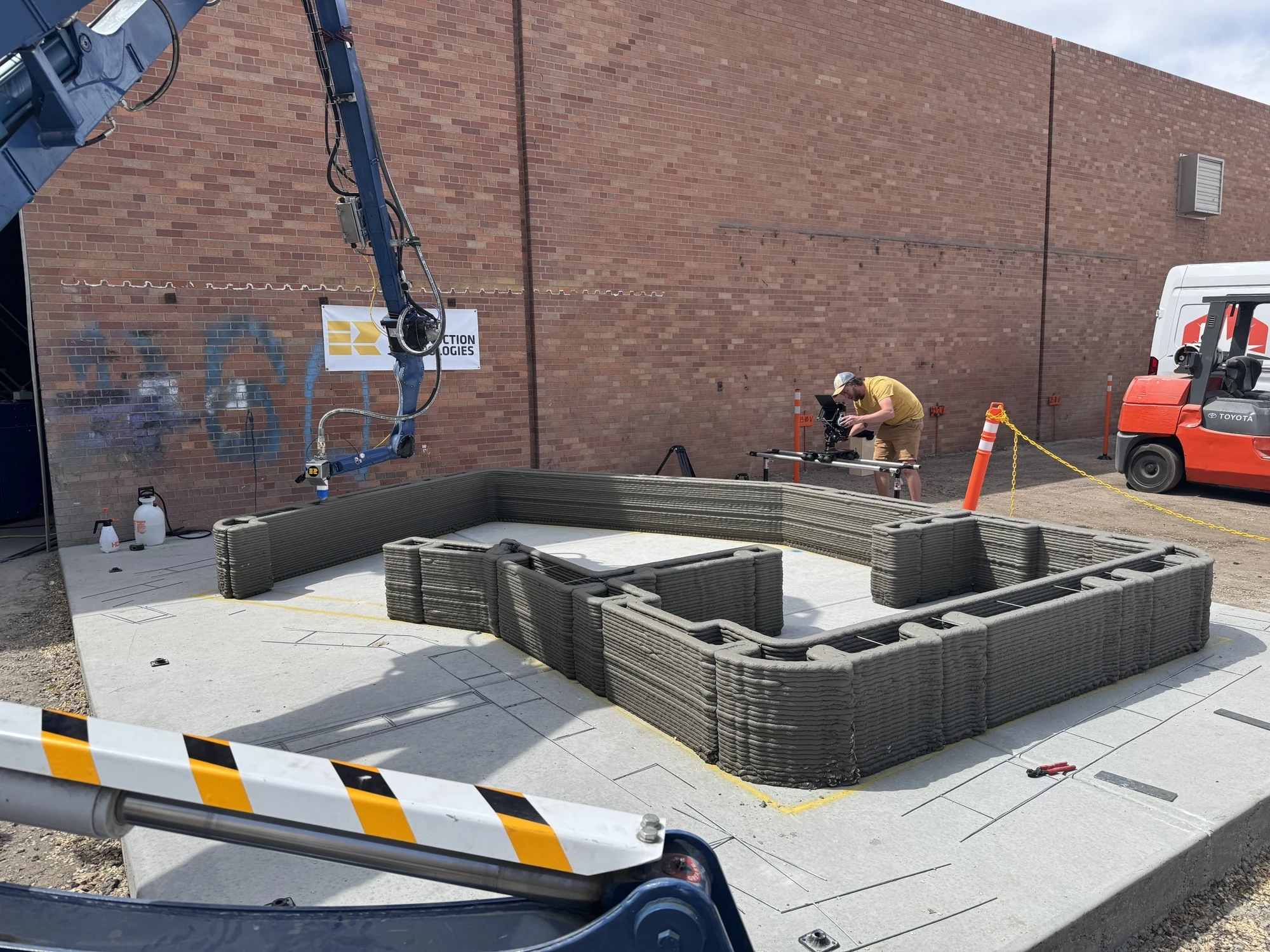
RCT robot printing concrete walls during an early test.
A print test using G-code generated by an early version of our slicer.
Sliced curved and straight test geometries with their connecting paths.
Complex shapes with all required bead design features integrated into the print paths.
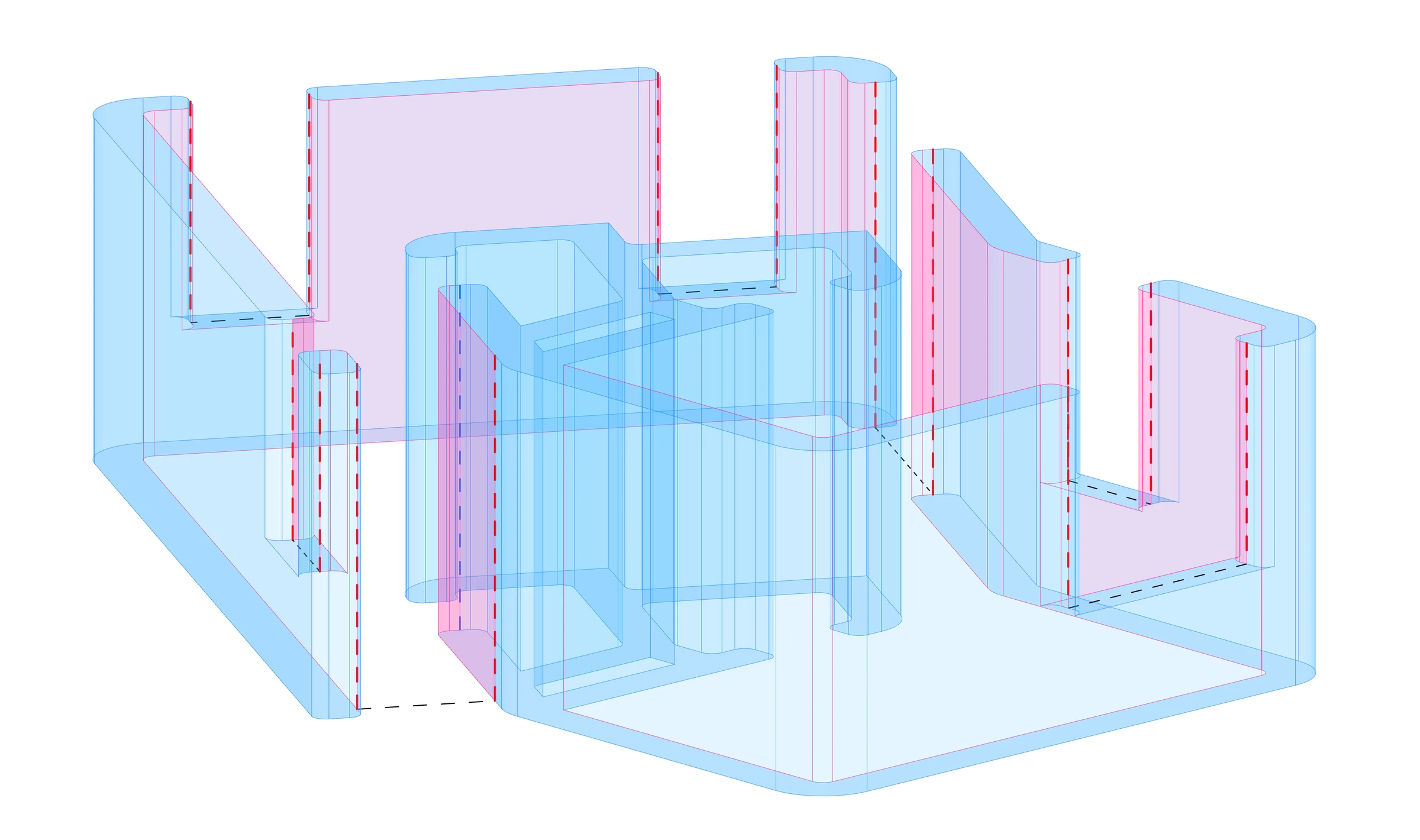
Building wall geometry with curved corners and openings, shown before slicing.
The building model before slicing.
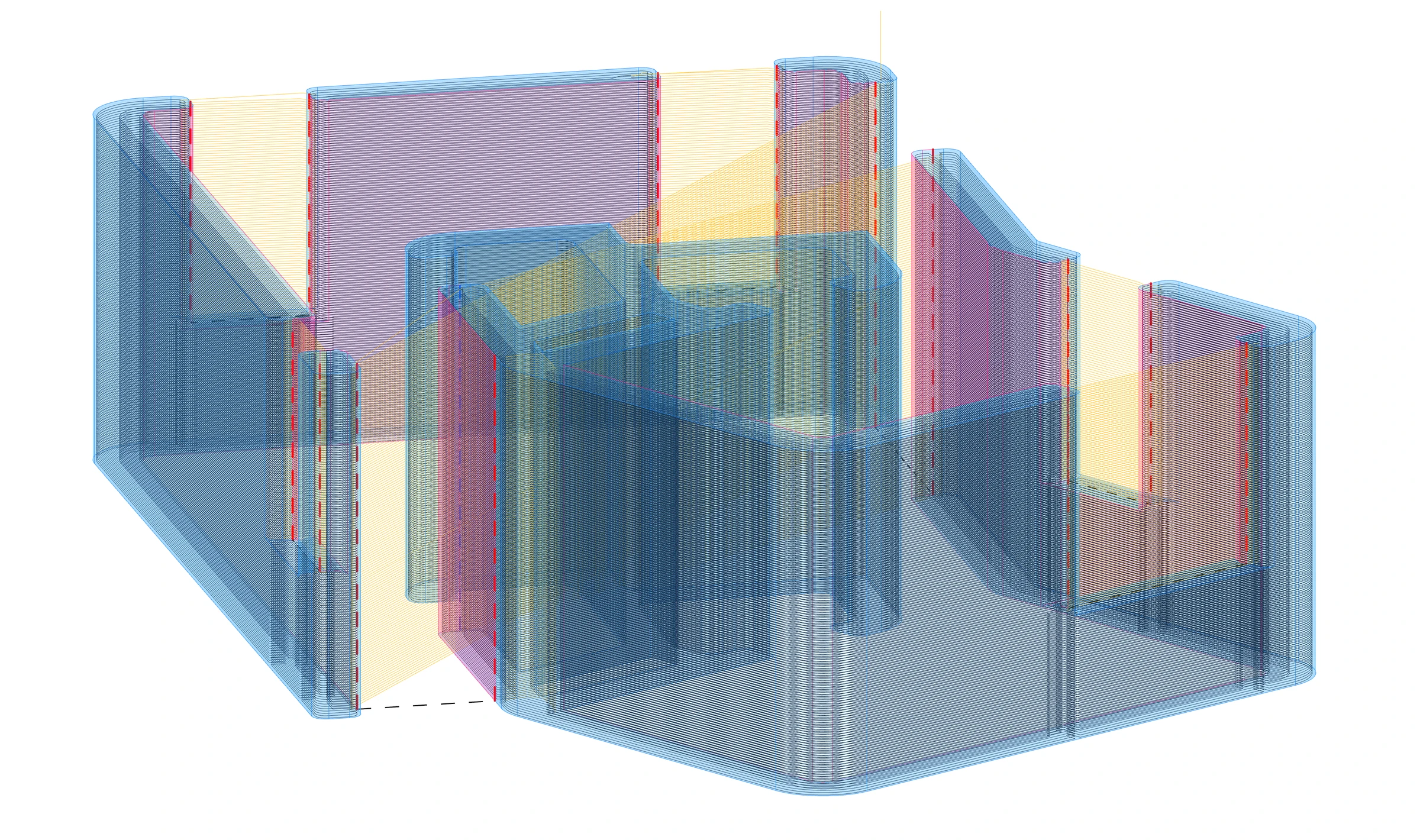
A sliced building model showing layers and connecting paths around wall openings.
The same model after slicing, with the generated print paths and travel moves.
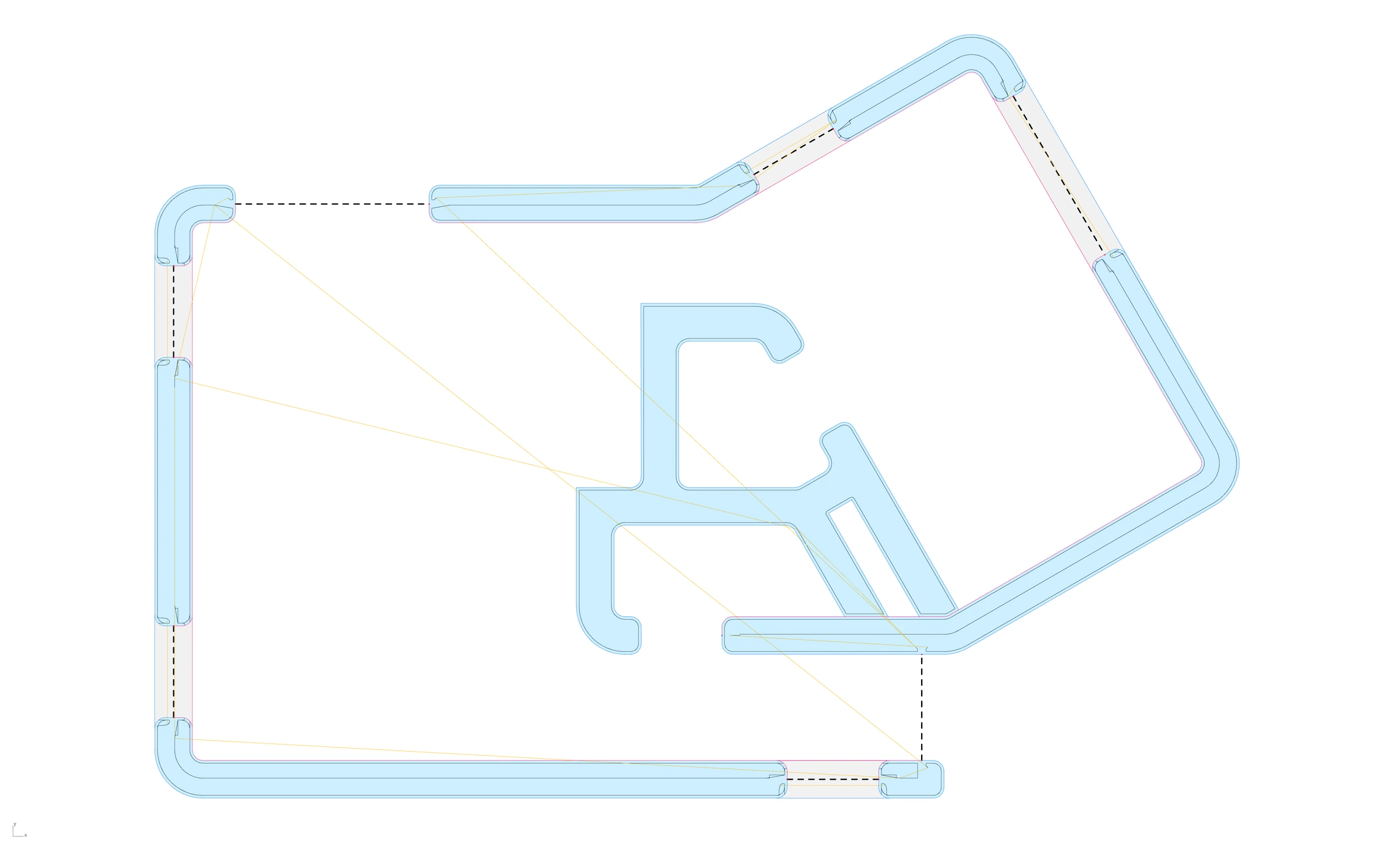
Plan view of print paths around the building’s walls and openings.
Print paths and travel moves shown in plan.
RCT robot printing concrete walls during an early test.
A print test using G-code generated by an early version of our slicer.
Building wall geometry with curved corners and openings, shown before slicing.
The building model before slicing.
A sliced building model showing layers and connecting paths around wall openings.
The same model after slicing, with the generated print paths and travel moves.
Sliced curved and straight test geometries with their connecting paths.
Complex shapes with all required bead design features integrated into the print paths.
Plan view of print paths around the building’s walls and openings.
Print paths and travel moves shown in plan.